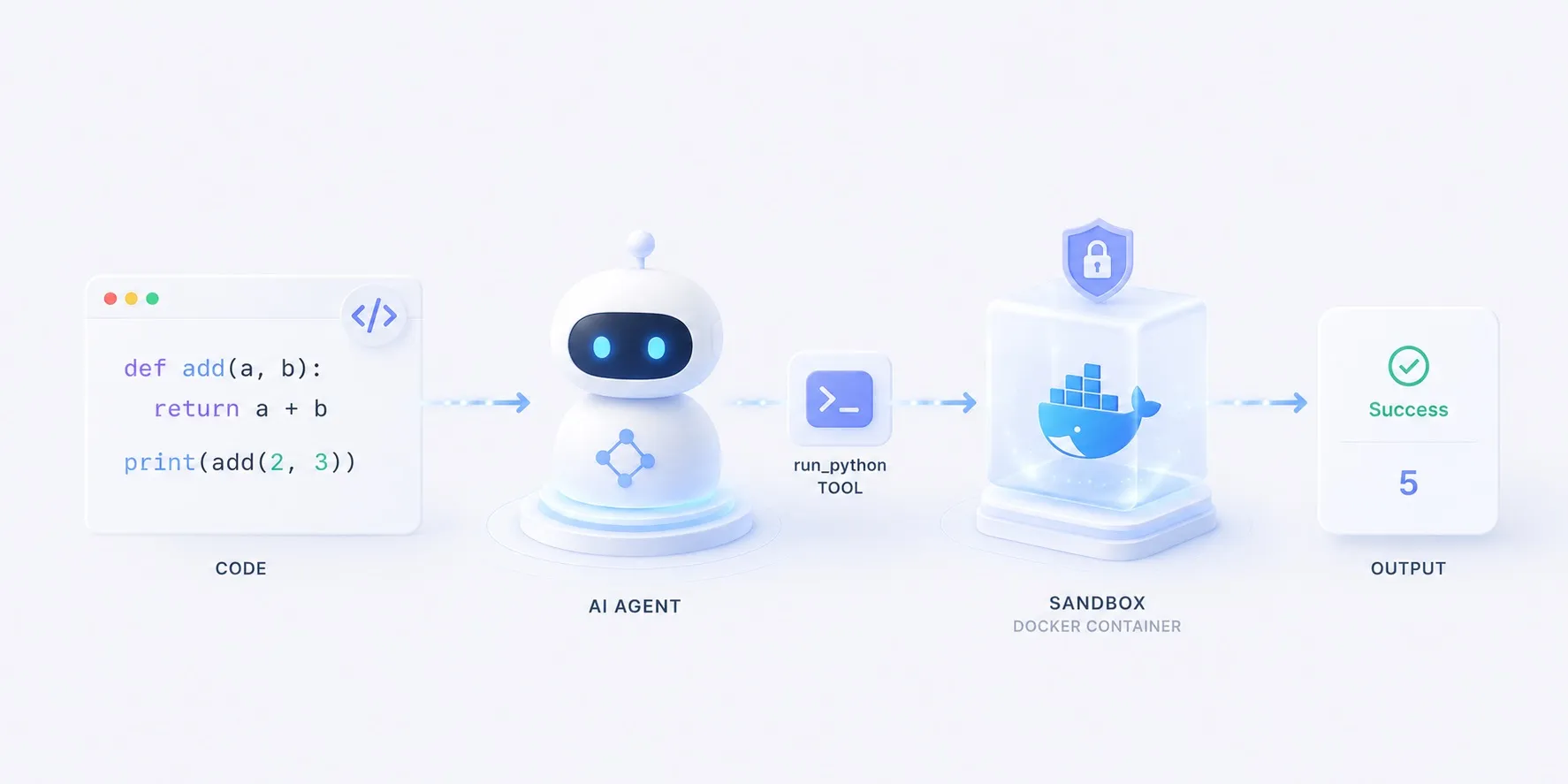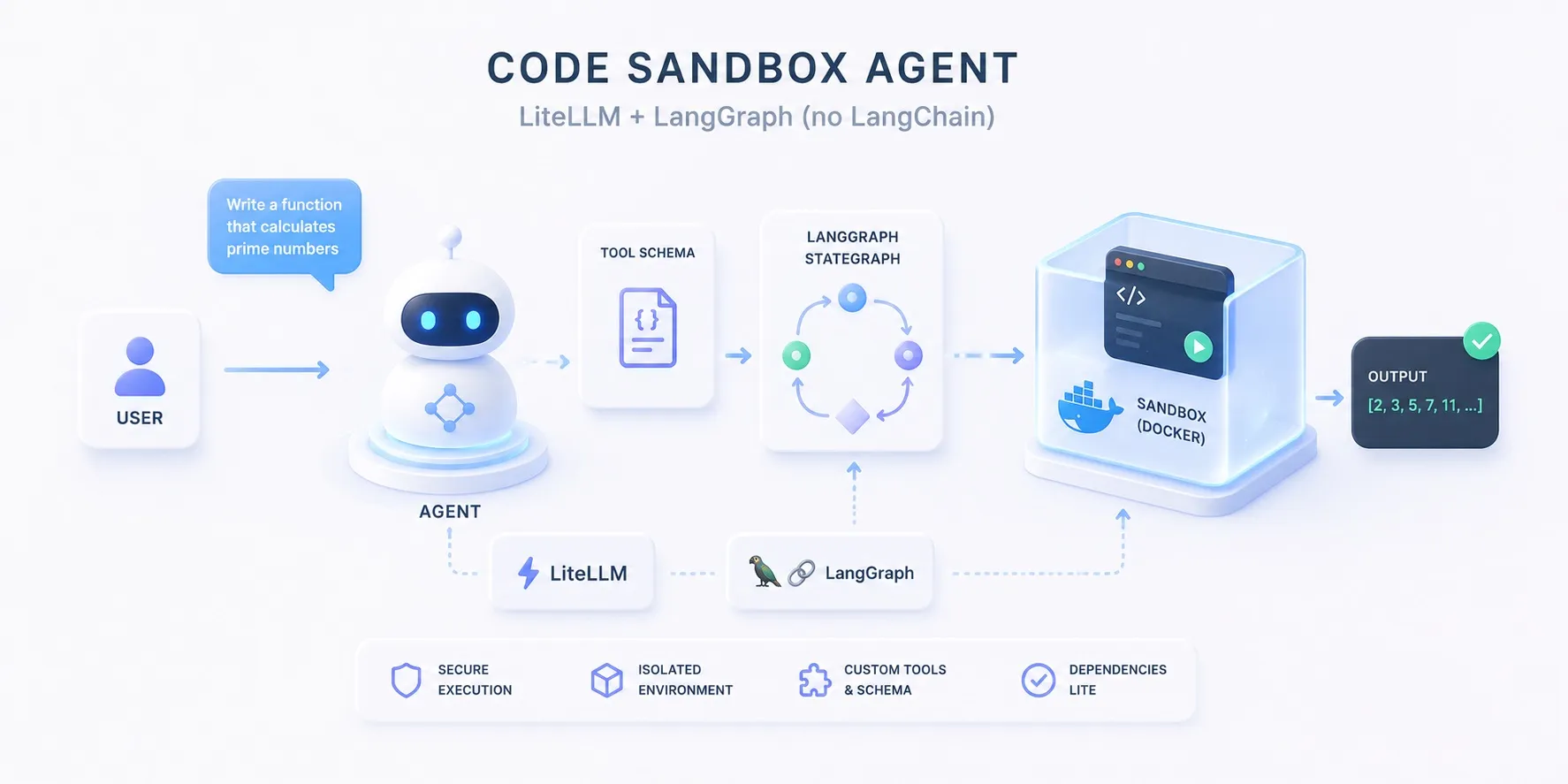
코드 샌드박스 에이전트에서는 create_agent 두 줄로 루프를 만들었습니다.
이 글은 같은 에이전트를 LangChain 없이 다시 만듭니다.
의존성은 LiteLLM(모델 라우팅)과 LangGraph(루프 런타임) 둘뿐입니다.
왜 이 구성이 가능한지는 LangChain 없이 만들면에서 계층별로 따져 봤고,
여기서는 그 “방법 B”를 실제로 돌아가는 에이전트로 완성합니다.
무엇을 만드나
동작은 원본 글과 완전히 같습니다.
- 계산이 필요한 작업을 받으면 모델이 파이썬을 짜고,
run_python도구가 그 코드를 격리된 Docker 컨테이너에서 돌려 결과를 돌려주면,- 모델이 그걸 읽고 답하는 에이전트입니다.
flowchart LR
  q["작업 — 30번째 피보나치 수?"] --> model["모델"]
  model -- 코드 --> tool["run_python"]
  tool --> box["docker run — 격리 컨테이너"]
  box --> out[("결과 · 오류")]
  out --> model
  model --> ans["답변"]
  class model roleModel
  class tool roleTool
  class out roleSource
달라지는 것은 조립 방식뿐입니다.
- 의존성 넷(langchain·langchain-litellm·langgraph·litellm)이 둘(langgraph·litellm)로
@tool데코레이터 대신 손으로 쓴 JSON 스키마- 프리빌트 루프 대신
StateGraph노드 + 조건부 엣지 - 샌드박스(
docker run+ 격리 플래그)는 한 글자도 안 바뀜
코드 뜯어보기
전체 구조
app.py는 노드 둘과 엣지 하나로 정리됩니다.
call_model()이 LiteLLM으로 모델을 부르고,- 모델이 도구를 요청하면
call_tools()가 직접 디스패치하고, route()가 도구 요청이 없을 때까지 둘 사이를 돌립니다.
flowchart TB
  q["작업 (sys.argv)"] --> build["build_graph() — StateGraph 구성"]
  build --> model["call_model — litellm.completion"]
  model -- tool_calls --> tools["call_tools — 직접 디스패치"]
  tools --> dock[("docker run · python:3.12-slim")]
  dock -- stdout/stderr --> tools
  tools --> model
  model -- 도구 요청 없음 --> msg["message_text(content)"]
  msg --> out["print → stdout"]
  class model roleModel
  class tools roleTool
  class dock roleSource
세부 구조
RUN_PYTHON — 손으로 쓴 도구 스키마
LangChain에서는 @tool이 함수 시그니처와 docstring에서 스키마를 만들어 줬습니다.
여기서는 스키마가 곧 내 코드입니다.
description이 docstring의 역할을 그대로 이어받아, 모델이 언제 코드로 풀지 판단하는 근거가 됩니다.
RUN_PYTHON = {
    "type": "function",
    "function": {
        "name": "run_python",
        "description": (
            "Run a snippet of Python and return its stdout/stderr. "
            "The code executes in an isolated, throwaway Docker container — "
            "no network, capped memory/CPU — so it can't touch the host. "
            "Use print() to surface results, and stick to the standard library."
        ),
        "parameters": {
            "type": "object",
            "properties": {
                "code": {"type": "string", "description": "Python source to run."}
            },
            "required": ["code"],
        },
    },
}
run_python() 함수 자체는 원본 글의 그것과 동일합니다.
격리 플래그를 단 docker run에 코드를 흘려보낼 뿐, 샌드박스는 어느 프레임워크가 불렀는지 신경 쓰지 않습니다.
call_model — 모델 노드
flowchart TB
  q["작업 (sys.argv)"] --> build["build_graph() — StateGraph 구성"]
  build --> model["call_model — litellm.completion"]
  model -- tool_calls --> tools["call_tools — 직접 디스패치"]
  tools --> dock[("docker run · python:3.12-slim")]
  dock -- stdout/stderr --> tools
  tools --> model
  model -- 도구 요청 없음 --> msg["message_text(content)"]
  msg --> out["print → stdout"]
  class model roleFocus
  class tools roleTool
class dock roleSourceChatLiteLLM어댑터 없이litellm.completion을 직접 호출 — 라우팅은 여전히MODEL환경변수 하나- 스키마를
tools=[RUN_PYTHON]으로 매번 함께 전달 - 응답 메시지를 dict로 바꿔 상태 리스트에 이어 붙임 — 메시지 타입도, 리듀서도 없음
def call_model(state: State) -> State:
    """Agent node: one LiteLLM call with the conversation so far + the tool."""
    resp = litellm.completion(
        model=os.environ.get("MODEL", "claude-opus-4-8"),
        messages=state["messages"],
        tools=[RUN_PYTHON],
        temperature=0,
    )
    msg = resp.choices[0].message.model_dump()
    # Drop null fields (e.g. function_call) so the resent message stays clean.
    msg = {k: v for k, v in msg.items() if v is not None}
    return {"messages": state["messages"] + [msg]}
call_tools — 도구 노드, 직접 디스패치
flowchart TB
  q["작업 (sys.argv)"] --> build["build_graph() — StateGraph 구성"]
  build --> model["call_model — litellm.completion"]
  model -- tool_calls --> tools["call_tools — 직접 디스패치"]
  tools --> dock[("docker run · python:3.12-slim")]
  dock -- stdout/stderr --> tools
  tools --> model
  model -- 도구 요청 없음 --> msg["message_text(content)"]
  msg --> out["print → stdout"]
  class model roleModel
  class tools roleFocus
  class dock roleSource
프리빌트가 대신해 주던 일이 여기 다 모입니다.
tool_calls에서 이름과 인자를 직접 꺼내 JSON 파싱- 이름으로 함수를 골라 실행 — 도구가 늘면 이 분기가 늘어남
- 결과를
tool_call_id와 함께 되돌려 줌 — 모델이 어느 요청의 답인지 맞추는 열쇠
def call_tools(state: State) -> State:
    """Tool node: dispatch every requested call by hand and tag each result
    with its tool_call_id so the model can match answers to requests."""
    results = []
    for call in state["messages"][-1]["tool_calls"]:
        args = json.loads(call["function"]["arguments"] or "{}")
        if call["function"]["name"] == "run_python":
            output = run_python(args.get("code", ""))
        else:
            output = f"Error: unknown tool {call['function']['name']}"
        results.append({"role": "tool", "tool_call_id": call["id"], "content": output})
return {"messages": state["messages"] + results}route와 그래프 구성
flowchart TB
  q["작업 (sys.argv)"] --> build["build_graph() — StateGraph 구성"]
  build --> model["call_model — litellm.completion"]
  model -- tool_calls --> tools["call_tools — 직접 디스패치"]
  tools --> dock[("docker run · python:3.12-slim")]
  dock -- stdout/stderr --> tools
  tools --> model
  model -- 도구 요청 없음 --> msg["message_text(content)"]
  msg --> out["print → stdout"]
  class model roleModel
  class tools roleTool
  class dock roleSource
class build roleFocus- 상태는
messages리스트 하나뿐인TypedDict route()가 마지막 메시지에tool_calls가 있으면 도구로, 없으면 종료로 보냄create_agent가 내부에서 만들어 주던 그래프를 여기서 직접 컴파일 — ReAct 루프의 전체 모양이 코드 열 줄에 다 보임
class State(TypedDict):
    # Plain OpenAI-format message dicts — no message classes, no reducer.
    messages: list

def route(state: State) -> str:
    """Conditional edge: run tools if the model asked for them, otherwise stop."""
    return "tools" if state["messages"][-1].get("tool_calls") else "end"

def build_graph():
    """Wire the ReAct loop explicitly: model -> (tools -> model)* -> end."""
    graph = StateGraph(State)
    graph.add_node("model", call_model)
    graph.add_node("tools", call_tools)
    graph.add_edge(START, "model")
    graph.add_conditional_edges("model", route, {"tools": "tools", "end": END})
    graph.add_edge("tools", "model")  # after running tools, think again
return graph.compile()main()은 이 그래프에 질문을 넣고 마지막 메시지를 출력하는 대여섯 줄이 전부입니다.
agent.invoke({"messages": […]}) 호출 모양은 원본 글과 똑같습니다.
같은 LangGraph 런타임이니까요.
구현
LiteLLM + LangGraph만으로 구성한 전체 코드입니다.
샌드박스 격리 플래그·Dockerfile·실행 방법은 원본 글과 동일합니다.
samples/docker_22026년 6월 28일핵심만 짚으면
- 스키마가 곧 문서다
@tool의 docstring이 하던 일을description필드가 합니다.- 모델이 읽는 도구 설명서를 이제 직접 씁니다.
- 디스패치는 내 코드다
- 이름 분기·인자 파싱·
tool_call_id매칭이 전부 보이는 곳에 있어, 로깅이나 커스텀 정책을 끼워 넣기 쉽습니다.
- 이름 분기·인자 파싱·
- 상태는 그냥 리스트다
- 메시지 타입 없이 OpenAI 형식 dict를 이어 붙일 뿐이라, 어느 시점의 대화든 그대로 찍어 볼 수 있습니다.
- 샌드박스는 프레임워크 무관
run_python과 격리 플래그는 원본과 동일 — 격리는 연결 코드가 아니라 샌드박싱 설계에서 나옵니다.
두 버전을 나란히 놓고 무엇을 얻고 잃는지 따져보려면,
LangChain 없이 만들면 글을, create_agent 두 줄 버전은 원본 튜토리얼을 보세요.